

Aug 25, 2026
A good meeting should be simple. A question stemming from meaningful data comes in, and an actionable decision goes out. Everything that happens in between, the actual looking and thinking, is where the work lives. A PLC data meeting is no different, at least on paper.
In practice, that simple shape is easy to lose. But a good PLC data meeting holds onto it. The team looks at the hard numbers and asks pointed questions about them, leaving the room with a decision about what to do next for their students. That’s the whole job, and most teams already know this. What trips them up, however, is the space between “look at the data” and “decide what to do” — the part where a meeting either turns into a genuine data conversation or deflates into a status update nobody acts on.
This guide helps you structure a meeting and what to ask once the data is in front of you. And with any luck, you’ll keep the meeting from sliding into a gripe session about test scores, because nobody enjoys or benefits from that.
What makes a data meeting different from a regular PLC meeting?

Not every PLC meeting is a data meeting, and treating them as interchangeable is one of the most common reasons data conversations feel unfocused. A regular PLC meeting might cover lesson planning or broader instructional strategy the team is trying out. A data meeting has one job: look at recent evidence of student learning and decide what changes as a result.
|
|
Regular PLC Meeting |
Data Meeting |
|
Primary focus |
Planning, strategy, shared resources |
Recent assessment or progress monitoring results |
|
Typical cadence |
Weekly or biweekly |
Tied to the assessment calendar (typically every 2-4 weeks) |
|
Core question |
What are we teaching next, and how? |
What does the data show, and what will we do about it? |
|
Result |
Shared plans or resources |
A specific action, an owner, and a follow-up date |
|
Who needs to be there |
The full team |
The full team, plus an interventionist or MTSS coordinator for Tier 2/3 review |
Keeping these two meetings distinct on the calendar, rather than letting data review happen “whenever there’s time” inside a general PLC meeting, is one of the simplest ways to protect the quality of both.
How to structure a PLC data meeting: An 8-step protocol
-
Assemble the data before the meeting starts
The single biggest time sink in a data meeting is pulling the numbers once everyone’s in the room. Whoever is facilitating should have the relevant data ready and visible before the meeting begins. If your team is spending the first fifteen minutes exporting spreadsheets or hunting down a report, that’s fifteen minutes of a short meeting spent on logistics instead of analysis.
-
Open with the focus question
Before anyone looks at a single data point, name the specific question this meeting exists to answer. “How are we doing on fractions” is too broad to structure a conversation around. “Which students haven’t shown growth on comparing fractions across our last two checkpoints” gives the team something concrete to look for.
-
Look at the data together, without talking first
Give the team a minute or two of quiet time to read the data before anyone starts interpreting out loud. This sounds like a small thing, but it prevents the loudest voice in the room from framing everyone else’s interpretation of the numbers before they’ve had a chance to form their own.
-
Sort what you’re seeing into buckets
Once the team starts chatting, organize the discussion around three categories: what’s working, what’s not working, and what’s surprising. This keeps the conversation from either turning completely negative or skipping past real problems in favor of comfortable wins.
-
Push past what, and into why
A number can tell you a lot, but rarely does it tell you why. Once the team has identified a pattern, push past naming it and into explaining it. Was this taught yet? Was it taught differently across classrooms? Does the assessment itself have a design problem? Is this a small group of students or most of the class? This step is where a data meeting earns its name, rather than just becoming a data announcement.
-
Decide the action, the owner, and the timeline in the same breath
A pattern identified without an assigned next step is likely going to pop back up at the next meeting completely unchanged. Every real finding should end with three things settled before moving on: what will change, who’s responsible, and by when. If the team can’t answer all three, the discussion isn’t finished yet.
-
Set the exact checkpoint date
Vague follow-up (“we’ll circle back to this”) gets lost. A specific date, ideally tied to the next data pull, keeps the loop from staying open indefinitely.
-
Close every meeting the same way
Wrap up with a quick recap of the decisions, owners, and dates. This takes two minutes and helps avoid the “wait, who was doing that again” confusion that bogs down the start of the next meeting.
What questions should a data team ask when reviewing student data?
 A cheat sheet of questions to keep on hand, useful across most kinds of assessment data:
- Which students met the standard? Which didn’t?
- Is this pattern new, or has it shown up in previous cycles?
- Which classrooms or groups show the widest variation? Is there a reason?
- What did the students who succeeded experience that the ones who struggled didn’t?
- Is this a whole-class issue, or does it affect a smaller group that needs more targeted support?
- Does this look like a gap in instruction? In the assessment? In something else?
- What’s one thing the team will adjust before the next checkpoint?
Keep this list handy during the meeting, whether on printed copies or a shared document, and your team will stay on track even when the conversation takes an unexpected turn.
How long should a data meeting be, and how often should data teams meet?
Most effective data meetings run 30 to 45 minutes. Long enough to get past surface observations, short enough that teams don’t fizzle out or drift into unrelated conversation.
Cadence depends on what’s being reviewed. Whole-class data tied to common assessments can follow a PLC’s normal meeting rhythm. Tier 2 and Tier 3 progress monitoring data, since it tracks a smaller group of students who are further behind, needs a tighter cycle because these students need faster course correction.
How do you keep data meetings from turning negative?
Any educator who has run a regular PLC meeting has inevitably watched at least one devolve into complaints about the test or a specific group of students, instead of staying focused on what the team can control.
A few things can keep this in check:
- Protect the focus question. If the meeting opened with a specific question, a facilitator’s job includes gently steering the conversation back to it when it deviates course.
- Separate venting from deciding. A team that’s frustrated about a testing window or a scheduling conflict deserves space to say so, but that conversation belongs somewhere other than the data meeting itself.
- End on the action. The same frustration can come up either way. What matters is whether the meeting ends with a decision or just ends.
- Rotate the facilitator. A single person carrying the job of redirecting the room every time gets tired fast. Sharing that responsibility keeps any one person from becoming the designated meeting police.
For more on how PLC roles should be defined and divided to support data meetings, see our guide on PLC roles and responsibilities.
How data meetings connect to MTSS and tiered intervention
A PLC’s data meeting and a school’s MTSS process are often treated as separate structures, even though they’re usually asking closely related questions. A PLC data meeting looking at common assessment results is functioning as Tier 1 universal screening in practice, whether or not anyone calls it that. When that same meeting surfaces a small group of students who need more than a classroom-level adjustment, that’s the natural handoff point into a Tier 2 or Tier 3 conversation (ideally with an interventionist or MTSS coordinator already in the room rather than looped in after the fact). For a deeper look at building that connection, see our guide on PLC and MTSS alignment.
The meeting is only as good as where the data lives
Pulling the data for a meeting and discussing the data in a meeting are two different jobs, but they often end up happening in the same room, at the same time. When nobody has the numbers ready ahead of time, the team ends up doing that prep work live. The beginning of the meeting is spent logging into a system, exporting a file, then trying to line it up against a second spreadsheet nobody else has open. That’s precious time spent on logistics instead of the questions this guide is built around.
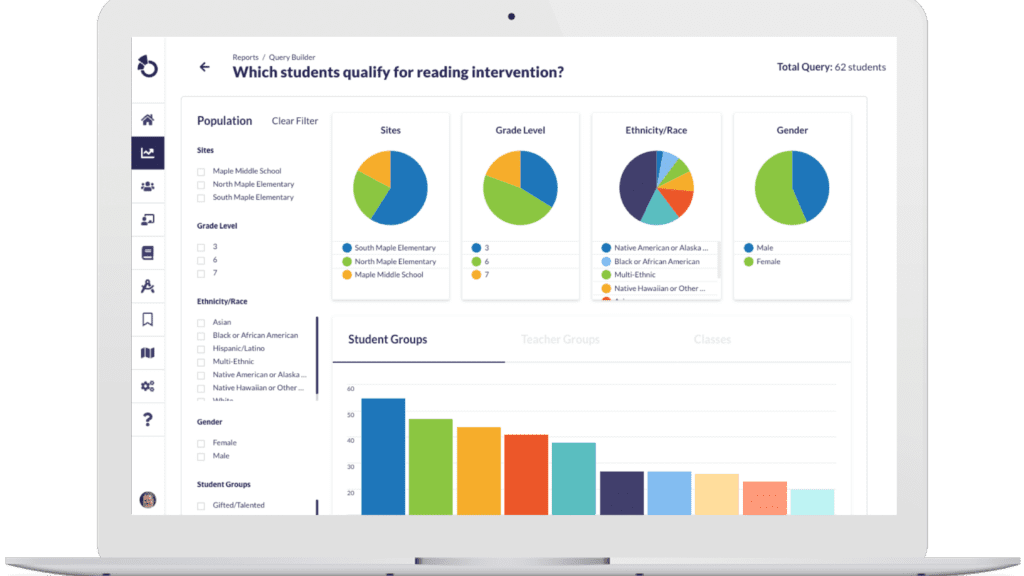
This is where having the data already connected, rather than scattered across separate assessment platforms, gradebooks, and intervention trackers, changes what a 45-minute meeting can accomplish. Otus brings assessment results, standards mastery, progress monitoring, and more into one place, so a facilitator can walk into a data meeting with the numbers already assembled instead of scrambling to build them before they kick off discussion.
Building this into your existing PLC structure
Treat data review as its own kind of meeting, separate from general PLC time, and the rest of this protocol follows naturally. A data-driven question in, a measurable decision out (the shape this blog opened with) holds up because of the structure that fills the middle. Keep that structure consistent, and it becomes second nature instead of something the team has to relearn every cycle. Protect it long enough, and the team starts catching problems while there’s still time to act.
Related Resources
Request a demo!
See exactly how Otus can help your school accelerate student growth and improve student outcomes – all while saving educators time.