

Sep 30, 2026
2,982. That’s the average number of distinct edtech tools a district accessed during the 2024-25 school year, a figure that’s nearly quadrupled since 2018. And whether they chose the tools or stepped into them, principals must set the tone for how this technology gets used in their buildings.
Technology leadership is the work of making sense of it all, and that’s a lot to carry on top of everything else a principal juggles. But it’s also an opportunity. When tools are chosen with purpose, teachers can get better support, and leaders can gain a precise view of what’s working.
This guide defines technology leadership in education, shows what it looks like in a classroom, a school, and a district, and compares it with IT management and instructional leadership. Then, it gets to the questions on principals’ minds.
What is technology leadership in education?
Technology leadership in education is the work of guiding how a school or district chooses, trusts, and uses technology to support teaching and learning.
It starts with a purpose. A leader who can say what the school is trying to accomplish and ask whether a tool helps is leading technology well, even if they aren’t an expert in every tool in the building. In every industry, technology earns its place by helping people do their work better, and schools are no different. The tool guides, and educators do the lifting.
Each part of that definition is a job of its own:
- Choose: tie a tool to a learning goal before anyone buys it.
- Trust: build the confidence and skills teachers need to rely on what the school picks.
- Use: check whether the tool made a difference for students.
When digital tools become part of how students learn and teachers teach, that’s technology integration. But to give it direction requires technology leadership.
Why technology leadership is important in K-12 schools
 Tool volume is one reason. Teacher confidence is another. In an EdWeek Research Center survey of nearly 600 educators, only 17% of those with fewer than 10 years of experience and 39% of those with 10 to 14 years said technology does more to increase than decrease learning. The findings come as districts and entire states move to limit students’ technology use amid rising concerns that screen time is damaging to students’ mental health.
Without someone steering, every new tool turns into its own small project, and every project competes for the same precious hours of teacher time. A technology leader keeps the work tied to learning goals and checks whether it helped students, so the school uses technology with purpose.
What technology leadership looks like in a classroom, school, and district
Technology leadership takes a different form at each level, from a single classroom to a whole district.
In the classroom
A teacher who tries a tool that gets feedback to students sooner, then shares with their colleague what changed, is leading technology. At this level, it’s about picking a tool for a specific learning goal and sharing what worked.
In the school
A principal learns that three teams are using three different tools for the same job. The principal asks what each team is trying to solve and helps the school settle on one tool, with protected time for teachers to learn it. That’s school-level technology leadership. Tying each tool to a school goal and making room for people to build confidence with it.
In the district
District leaders have the widest view. They decide which tools the district supports and whether those tools work across schools. Norwalk Public Schools found this out firsthand. The district wanted schools to analyze data and adjust instruction, but nothing was standardized, and its director of school improvement realized leaders hadn’t given schools a tool to do the work. Norwalk has since brought its data into a single platform, using data dashboards to improve decision-making.
The principal’s role in technology integration
Principals shape how technology lands, even when they’re not the ones running it. When principals share a vision and talk with staff about technology, teachers are more likely to accept it, and teachers who accept it are more likely to use it. The principal’s role in technology integration comes down to just a handful of habits.
- Start with a learning goal. Name what the school is trying to improve before picking a tool, and put it in a clear technology plan so staff and new teachers know what to expect.
- Use the tools yourself. Modeling the way is one of the most important things a principal can do, which means using the tools the school asks teachers to use.
- Give teachers time before expecting use. Confidence comes from training, and from having time and space to learn a tool before it hits the classroom.
- Celebrate what works. When a teacher does something great with the tool, share the win with colleagues.
- Listen for what’s getting in the way. Ask teachers what they need before asking for more use. A technology coach can help carry that conversation.
- Check whether it’s worked. Look at how the tools were intended to support students and what the data shows.
Technology coaches can act as a bridge between teachers and leadership, so the work doesn’t land on one person. For more on how principals’ confidence shapes teachers’ confidence, check out The Principal's Role in Collective Efficacy and Student Outcomes.
Technology leadership vs. IT management vs. instructional leadership
These roles overlap, and in a small school one person might wear all three hats. But the key question each one asks is different.
| Technology Leadership | IT Management | Instructional Leadership | |
| Core question | Does this technology help us reach our learning goals? | Are our systems secure, running, and supported? | Is teaching improving student learning? |
| Focus | How tools are chosen, trusted, and used. | Devices, networks, security, and support | Curriculum, instruction, assessment, and teacher growth |
| Who usually leads | Principals, district leaders, curriculum and instruction directors, technology leaders | IT director or CTO and their teams | Principals, instructional coaches, curriculum directors |
| Success looks like | Teachers use tools with confidence, and the evidence shows a difference for students | Systems stay up, student data stays protected, and requets get resolved | Instruction gets stronger, and students make progress |
| Example | A principal asks which tool fits a goal and plans time for teachers to learn it | The IT team rolls out devices and manages accounts and filters | A principal and coach observe lessons and gives feedback |
Digital leadership, a related term, often comes up in this conversation. It usually refers to how leaders themselves use digital tools to communicate with their community and lead change, such as a principal who shares classroom wins with families online. Instructional leadership has a different focus: improving teaching and learning. Technology leadership overlaps with both, since it’s about making digital tools work for instruction.
ISTE standards for education leaders
ISTE’s Standards for Education Leaders offer a framework for this work. They describe five roles: Digital Citizenship Advocate, Visionary Planner, Empowering Leader, Systems Designer, and Connected Learner. The Visionary Planner standard, for example, asks leaders to evaluate progress on their technology plans, measure impact, and scale what works.
Skills a school technology leader needs
Here’s what the job takes:
- Purpose. The ability to connect a tool to a goal and explain the connection in plain language.
- Curiosity. A willingness to learn alongside teachers. ISTE’s Connected Learner standard asks leaders to model and promote continuous learning.
- Change leadership. The patience to listen and the sense to pace a rollout. ISTE asks leaders to develop the skills to lead and navigate change.
- Judgment about evidence. The habit of asking what shows a tool is working. ISTE asks leaders to evaluate progress and measure impact.
- Care with student data. Awareness of privacy and security. ISTE ask leaders to make sure staff understand and follow effective data management policies.
Where data fits
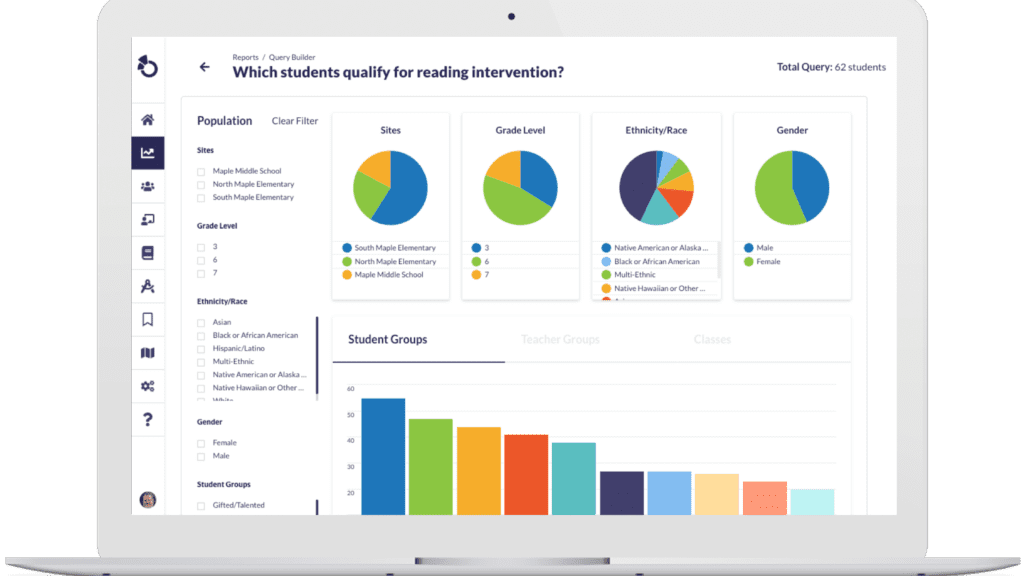
 A leader can’t tell if a tool is working or not off a hunch, and the evidence has to live somewhere educators can see it. That’s the thinking behind Otus, a K-12 student data, assessment, and insights platform. It brings evidence of student learning together in one place, so leaders can see whether the tools and strategies they’ve chosen are making a difference. Otus guides the work, and educators do the lifting.
Want to see what that looks like? Read how East Moline School District 37 brought its assessment data into one place during a shift to standards-based grading, or explore our data-driven decisions page.
Technology Leadership FAQs
What is technology leadership in education?
Technology leadership in education is the work of guiding how a school or district chooses, trusts, and uses technology to support teaching and learning. It starts with purpose and carries through to whether the tool helped students.
Why is technology leadership important in K-12 schools?
Districts access thousands of tools each year, and teachers’ views of tech vary widely. A technology leader keeps tools tied to learning and gives teachers the support to use them well.
What does technology leadership look like in a classroom, school, or district?
In a classroom, a teacher may choose a tool for a learning goal and share what worked. In a school, a principal connects tools to school goals and protects time for teachers to learn them. In a district, leaders decide which tools to support and check whether they work across schools.
What is the principal’s role in technology integration?
Principals set the vision, model the use of tools, give teachers time and space to learn, and check whether the tools help students.
How is technology leadership different from IT management?
IT management keeps systems secure, running, and supported. Technology leadership asks whether those systems and tools help the school reach its learning goals. Both are needed, and they work best together.
What is the difference between digital leadership and instructional leadership?
Digital leadership focuses on how leaders use information and digital tools to set direction and lead change. Instructional leadership focuses on improving teaching and learning. Technology leadership connects the two by making sure technology serves instruction.
What skills does a school technology leader need?
Clear purpose, curiosity, the ability to lead change, judgment about evidence, and care with student data.
What are the ISTE Standards for Education Leaders?
ISTE’s Standards for Education Leaders describe five roles: Digital Citizenship Advocate, Visionary Planner, Empowering Leader, Systems Designer, and Connected Learner. Each plays a unique role, and together they describe what it takes to lead technology well.
Who is responsible for technology leadership in a district?
Everyone with a role in it, at different levels. Superintendents and other senior district leaders set the vision, the CTO or IT director keeps systems secure, curriculum and instruction leaders tie a tool to learning, principals lead use in their buildings, and teachers lead in their classrooms.
Why do some teachers not trust new technology?
Trust only grows when teachers have the training and the time to try a tool before they are expected to use it, and it drops when tools arrive without those supports. Skepticism about screen time and learning adds to the hesitation.
Request a demo!
See exactly how Otus can help your school accelerate student growth and improve student outcomes – all while saving educators time.